

Password security is crucial in the current digital era. It is essential to ensure that your passwords don’t expire, leaving your accounts open to unwanted access, whether you are using Windows XP, Vista, or 7.
You can prevent your passwords from expiring on various operating systems using the helpful advice in this detailed article.
Understanding the Password Expiration Policy
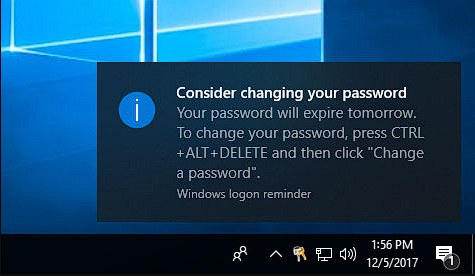
It’s crucial to comprehend the password expiration policy used by Windows Vista, 7, and XP to successfully prevent your passwords from running out of validity.
By default, these operating systems demand users change their passwords regularly. While Windows XP has a default policy of 90 days, Windows Vista and 7 both urge users to update their passwords every 42 days by default.
Tips for implementing strong passwords
- Combining capital and lowercase letters, numerals, and special characters is recommended.
- Avoid using information that might be easily guessed, such as your name, birth date, or everyday words.
- Create passwords with at least eight characters.
- Use different passwords for each account to lessen the effects of a potential security breach.

How to keep Vista, 7 & XP’s passwords from expiring?
1. Use a VBS script to perform the step automatically
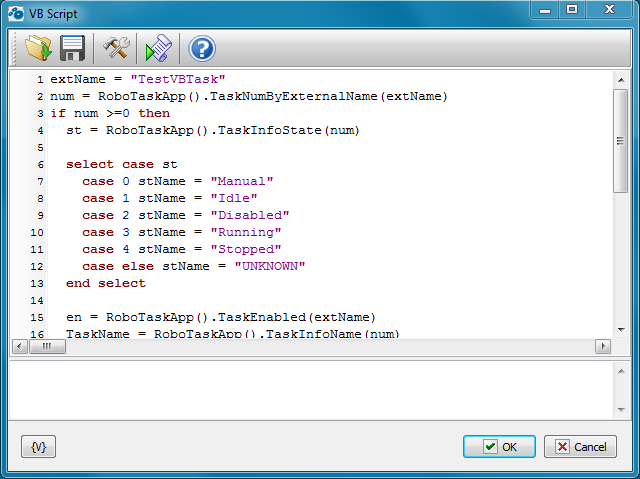
By default, in Vista, 7, and sometimes in XP, you must reset your password occasionally. Well, this isn’t needed often, and some people get annoyed. Luckily, turning this off is VERY simple. However, you could also use the VBS script I wrote to disable this feature automatically.
This tool is perfect for an admin, computer tech, or typical user. Sometimes just clicking a file and being done is better than doing it manually.
The VBS code is straightforward and already available in the zip file.
This script references the currently logged-on user to detect the names of the current user and computer and then does the work for you:
Const ADS_UF_DONT_EXPIRE_PASSWD = &H10000

Dim user
Dim username
Dim computername
Dim lngFlag

Set WshNetwork = WScript.CreateObject("WScript.Network")

computername = WshNetwork.ComputerName
username = WshNetwork.UserName

Set user = GetObject("WinNT://" & computername & "/" & username & ",user")

lngFlag = user.Get("userflags")

If (lngFlag And ADS_UF_DONT_EXPIRE_PASSWD) = 0 Then

lngFlag = lngFlag Xor ADS_UF_DONT_EXPIRE_PASSWD
user.Put "userflags", lngFlag
user.SetInfo

msgbox username & " on " & computername & " Password now set to not expire."

else

msgbox username & " on " & computername & " Password already set to not expire."

End If
2. Disable password expiration manually
- Open the Start menu, and choose Control Panel.
- Locate and open Users Accounts or User Accounts and Family Safety option.
- Select User Accounts again.
- Click on Manage User Accounts or Manage another account if multiple accounts exist.
- Choose the account to which you want to disable password expiration, and choose Properties or Change the password.
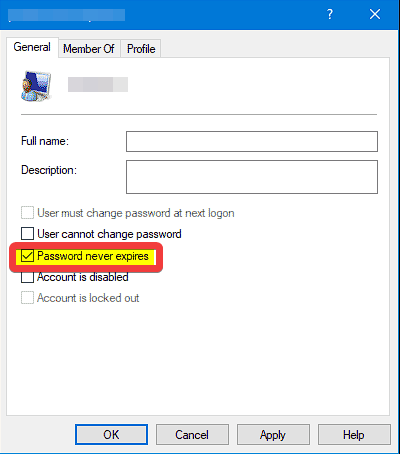
- In the called Password expires section, uncheck the box that says Password never expires.
- Click Apply and OK to apply the changes.
Are there any risks associated with disabling password expiration?
Disabling password expiration eliminates a security measure, which may make it more likely that someone will get access to your accounts without authorization.
Other essential security precautions to consider include using strong passwords, turning on 2FA, and updating your system.
Can I use the same password across multiple accounts?
While using the same password for several accounts could be handy, it is not advised. If one account is compromised, the attacker could access any others with the same password. Creating different passwords for each account is an excellent practice.
The security of your Windows Vista, 7, and XP accounts must be maintained by not letting your passwords expire.
You can significantly improve the security of your accounts by being aware of the password expiration policy, turning it off when necessary, and using strong passwords.

Vladimir Popescu
Verified at:
07/03/2023 10:31
Vladimir started writing articles about Windows because he has a natural interest in this topic, and he has been an avid professional user with more than 15 years of experience. He’s also been writing for WindowsReport.com, MSPoweruser.com and present in various other online publications on matters related to Windows and Windows servers.
Vladimir enjoys practicing Crossfit and making art when he’s not creating top articles with in-depth information.
Leave a Reply