

Remote desktop and terminal services have become essential to our professional lives in today’s connected environment. These solutions give us freedom and convenience by allowing us to access our workstations and servers from any location.
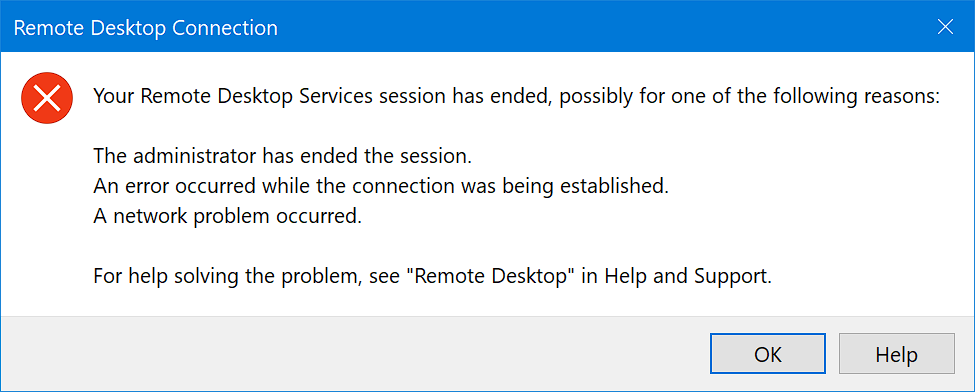
However, the issue of frequent disconnection is one that many users find annoying. Think about being in the middle of crucial work when your remote session suddenly loses connection. It may have a significant negative impact on productivity. But don’t worry!
To maintain a flawless and uninterrupted remote working experience, we will explore several tactics and solutions in this article to prevent disconnections from occurring with terminal services and remote desktops.

Why do I keep losing my Remote Desktop Connection?
Understanding why terminal services and remote desktop connections frequently disconnect is crucial before looking at possible remedies.
Network difficulties, session timeout settings, power management settings, and even software conflicts are a few of the variables that lead to this issue. You can adapt focused solutions and improve the stability of your remote connections by determining the root problem.
Common causes for this issue
Unstable network connections
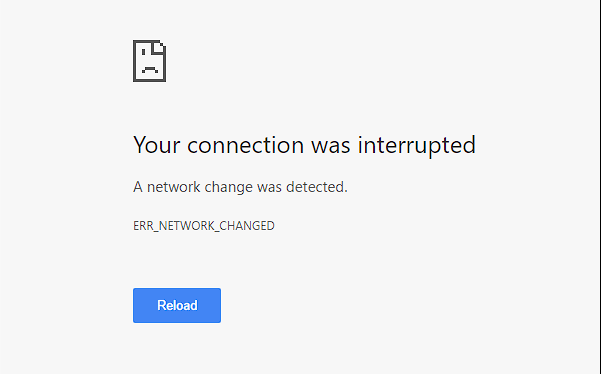
An unreliable network connection frequently causes disconnections from remote desktop and terminal services. Checking your network connection should be your first action if you’re experiencing sporadic disconnections.
Verify that all of your network hardware is in good working order and that there are no loose wires or hardware problems. Additionally, ensure no outages or variations with your internet service provider.
Session timeout settings
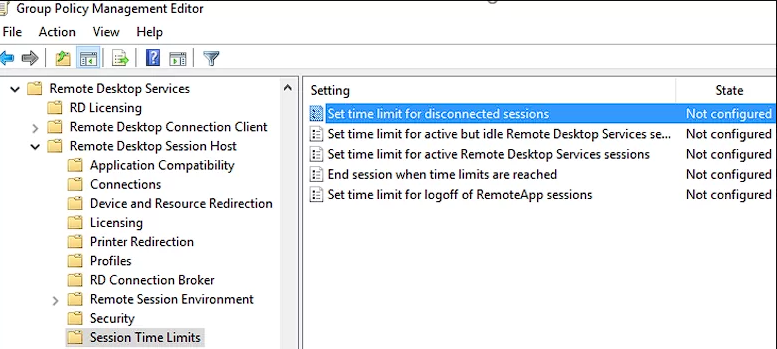
The time before a remote session disconnects depends on the session timeout settings. Operating systems and remote desktop software come with preset timeout settings by default.
It’s wise to change these settings to increase the session time if your remote desktop sessions are frequently ending prematurely. By doing this, you can avoid disconnections from short periods of inactivity.
Power management settings
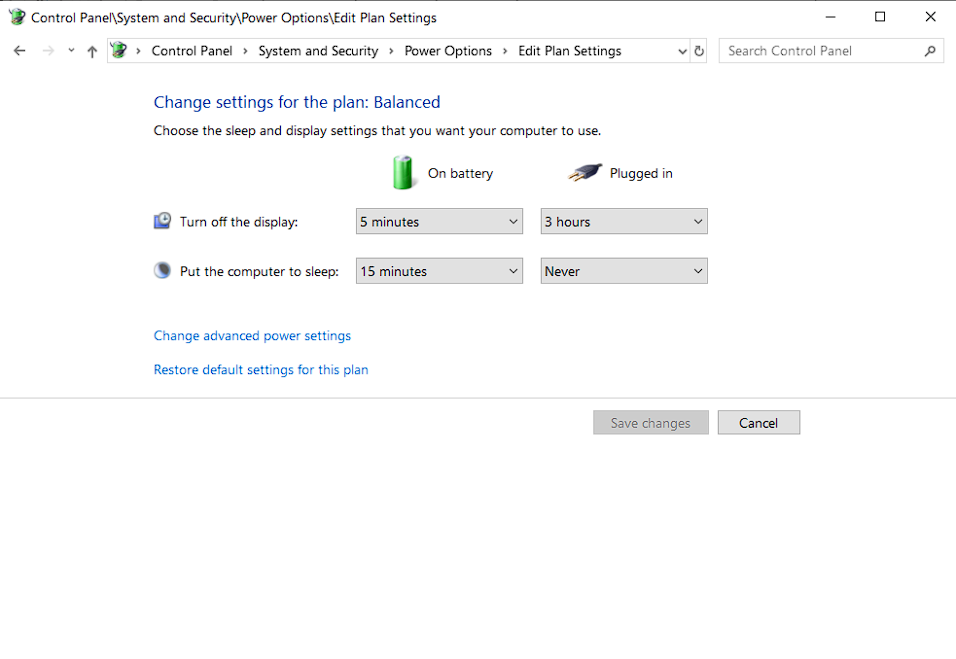
Problems with disconnecting might also be attributed to power management settings on your local computer or the remote server. The remote desktop or terminal services connection can be broken when your computer goes into sleep mode or hibernation.
Ensure your power management settings are set up correctly to minimize this issue. Change the sleep and hibernation settings to stop your machine from automatically entering low-power states while engaged in active remote sessions.
How do I fix Remote Desktop Services?
Let’s examine some techniques to maintain stable and uninterrupted connections for terminal services and remote desktops now that we are more mindful of the reasons behind disconnect issues.
1. Check these pre-requisite steps
- Check network stability – Check every network infrastructure component, including the cables, switches, and routers. Search for any indications of harm or loosened connections. Ensure you have a strong signal and limit interference from other devices using a Wi-Fi connection. Consider using an Ethernet cable to connect your workstation directly to the router for a more dependable connection.
- Optimize bandwidth usage – If you frequently experience disconnections, see if any other hardware or software uses too much bandwidth. Online gaming, heavy file downloads, and streaming services might tax your network and cause disconnections.
- Adjust Sessions Timeout settings – The session duration should be extended to a value that works for your workflow and usage patterns. However, remember that longer session times might present security problems because idle sessions are more susceptible to intrusion. To maximize your remote working experience, strike the ideal balance between session length and security.
- Disable Power Management features – Power management settings can disrupt your remote desktop connections by putting your local machine or remote server to sleep or hibernation. Disable or adjust the power management settings to ensure your system remains active during remote sessions.
- Update Remote Desktop Software – Older remote desktop applications may have compatibility problems and faults that make connections erratic. Ensure the remote desktop program you choose is running at its most recent version.
- Check for any software conflicts – Disconnection issues might also result from conflicts between different software programs or services running on your local computer. Determine any incompatible software and take the necessary action to resolve the problems.
2. Create a .reg file
The Windows Registry can be easily modified using a.reg file, also called a registry file.
You can alter particular registry settings about terminal services and remote desktops by creating and running a .reg file to avoid disconnections:
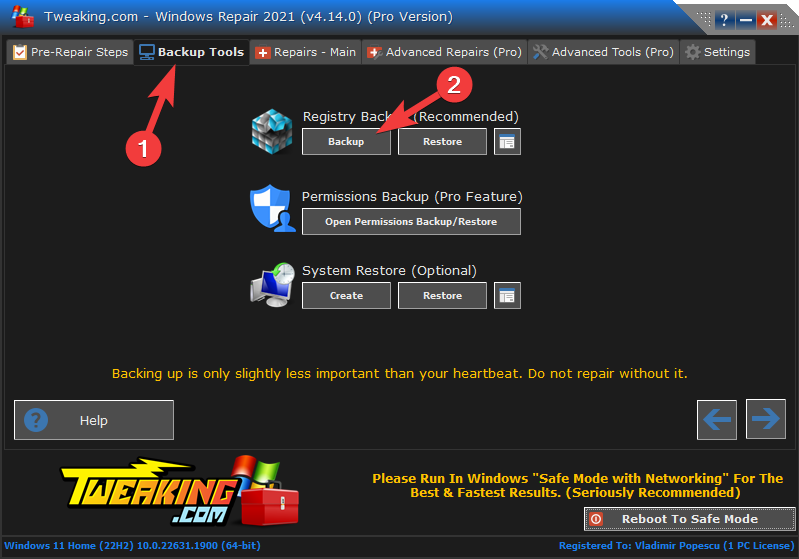
- Download Tweaking Repair All-in-One
 .
. - Open the software and create a Registry backup by clicking Backup Tools and ten the Backup button.
- Create a new Notepad file.
- Copy-paste the following code into the text file:
Windows Registry Editor Version 5.00

[HKEY_LOCAL_MACHINE\SOFTWARE\Microsoft\Windows NT\CurrentVersion\Winlogon] "KeepAliveInterval"=dword:00000001 "KeepAliveTimeout"=dword:00000001

[HKEY_LOCAL_MACHINE\SYSTEM\CurrentControlSet\Control\Terminal Server] "KeepAliveEnable"=dword:00000001 "KeepAliveInterval"=dword:00000001 "KeepAliveTimeout"=dword:00000001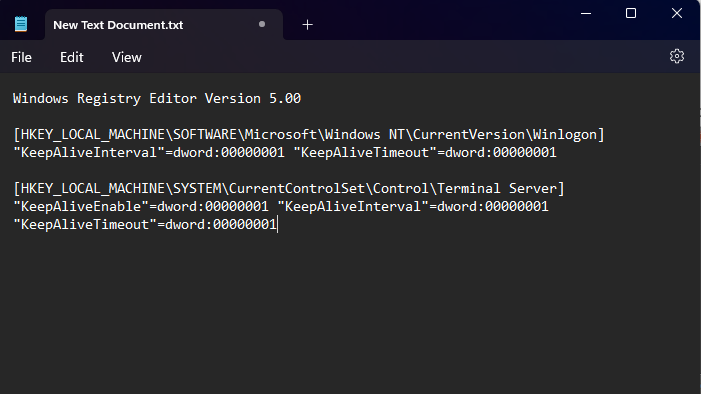
- Save the file with a .reg extension, such as keep_terminal_services.reg.

- Locate the saved .reg file on your PC, and open it by double-clicking it.
- Click Yes on the prompt asking for confirmation.
The registry settings for managing the terminal services and remote desktop connections will be modified by creating and running the .reg file. Keep-alive packets are sent at intervals of one second to avoid disconnections using the “KeepAliveInterval” and “KeepAliveTimeout” variables set to 1.
Please be aware that changing the Windows Registry should only be done carefully because mistakes can lead to unstable system behavior. Before performing any modifications, it is advised to make a backup of your registry.
It is advised to get advice from a skilled IT professional if you are unfamiliar with the Windows Registry or feel uneasy carrying out these procedures manually.

Vladimir Popescu
Verified at:
07/03/2023 10:31
Vladimir started writing articles about Windows because he has a natural interest in this topic, and he has been an avid professional user with more than 15 years of experience. He’s also been writing for WindowsReport.com, MSPoweruser.com and present in various other online publications on matters related to Windows and Windows servers.
Vladimir enjoys practicing Crossfit and making art when he’s not creating top articles with in-depth information.
Leave a Reply