

Disk defragmentation and system shutdown are two crucial chores you should think about performing to optimize the performance of your Windows Vista or Windows 7 computer.
This article will explain the value of disc defragmentation and how to make Windows Vista, and 7 use the auto defrag feature.
Additionally, we’ll go through the advantages of routine system shutdowns and offer guidelines for setting up automatic shutdowns. Last but not least, we’ll consider simultaneously automating the shutdown and defragmentation procedures to improve your computer’s performance.
What is Disk Fragmentation?
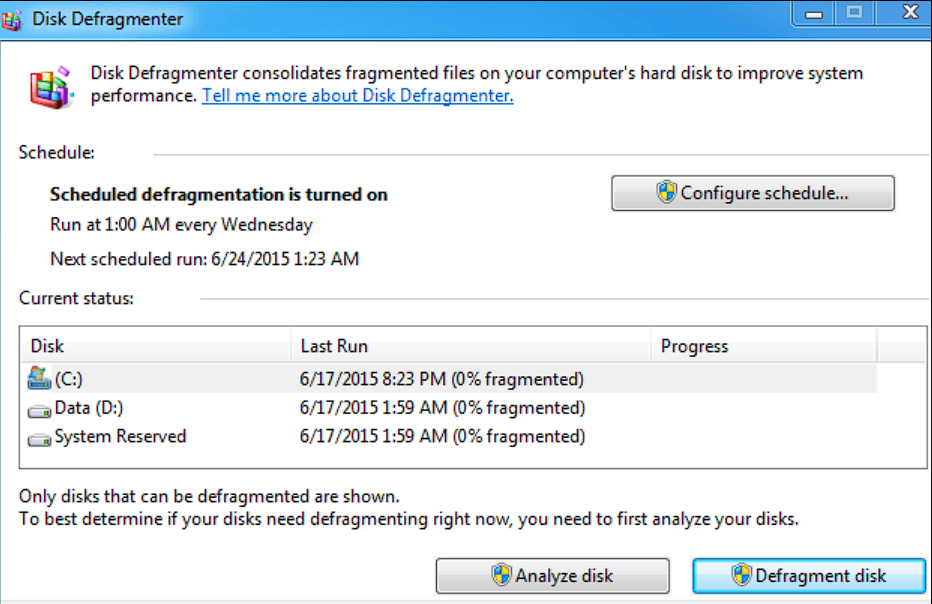
The phenomenon known as disk fragmentation occurs when files on your computer’s hard disc are broken up into tiny fragments and dispersed throughout the system.
Files are generated, changed, and removed while you use your computer, leaving voids and fragmented data in their wake. This fragmentation may result in slower file access times and poorer system performance.
Why should I use Disk Defragmentation?
Disk defragmentation is moving fragmented data closer together on your hard disc to increase access speed.
You may improve file access, speed up page loads, and improve your computer’s overall performance by defragmenting your hard drive.
Does Windows have defragmentation utilities?
You can manually defragment your hard drive using the built-in disc defragmentation utilities included with Windows Vista and 7. Unfortunately, manually starting this process can be time-consuming and annoying.
Windows Vista and 7 also have an auto defragmentation capability that takes care of the requirement for routine defragmentation without manual intervention. When auto defrag is enabled, your computer will regularly defragment the hard disc without your active input, ensuring optimal performance.
How to enable Auto Defrag in Windows Vista and Windows 7
Windows Vista’s method of enabling auto defragmentation can also be used with Windows 7.
Follow these steps:
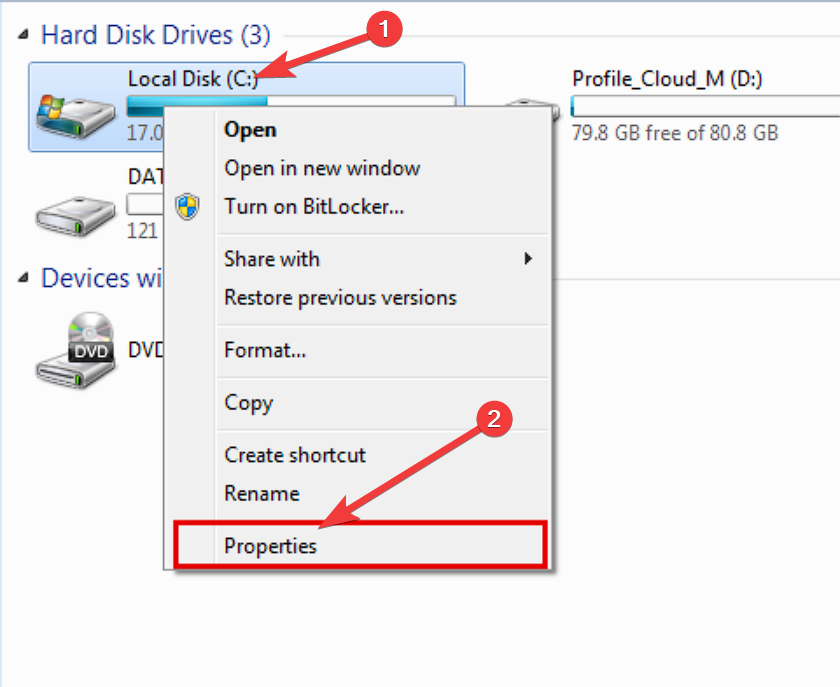
- Click on Start, and choose Computer.
- Right-click the hard drive you want to enable auto defrag on and select Properties.
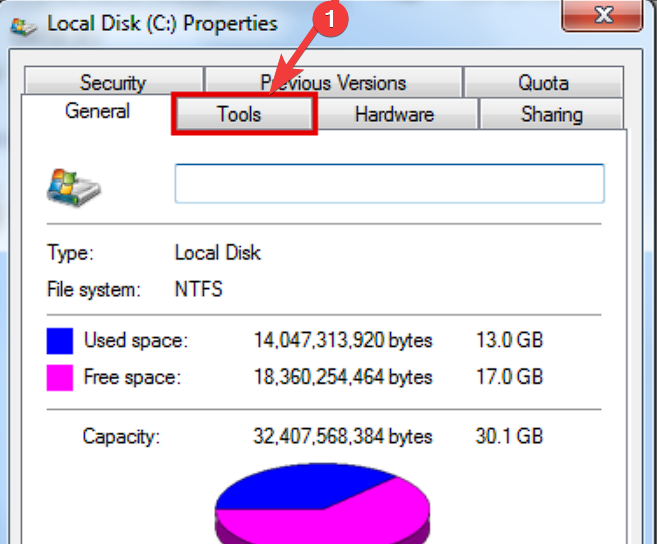
- Open the Tools tab, and click on Optimize.
- Check the box next to the Run on a Schedule option.
- Modify the frequency of running this process according to your needs by clicking the Change Settings button.
- Click OK to save the changes.
What is a Shutdown, and how does it help my PC?
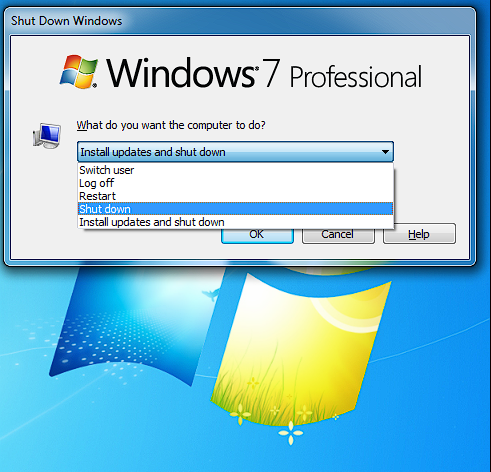
Shutdown is the term used to describe turning off your computer. To ensure your system lasts a long time and runs smoothly, you must follow this procedure.
Shutting down your computer regularly aids in removing temporary files, freeing up system resources, and avoiding hardware and software problems:
- Memory release – Your computer’s RAM is cleared when it shuts down, guaranteeing that new memory will be allocated when it restarts.
- Software updates – Restarting the computer is frequently necessary to implement many software upgrades—performing shutdowns regularly guarantees that the most recent updates are installed.
- Prevents overheating – Overheating may result from continued use. Frequent shutdowns give the system time to cool down and shield the hardware from damage.
- Conserves electricity – When not in use, turn off your computer to save energy and money on electricity.
How can I schedule an automatic shutdown?
- Press the Ctrl + Alt + Del keys to open the Task Manager.
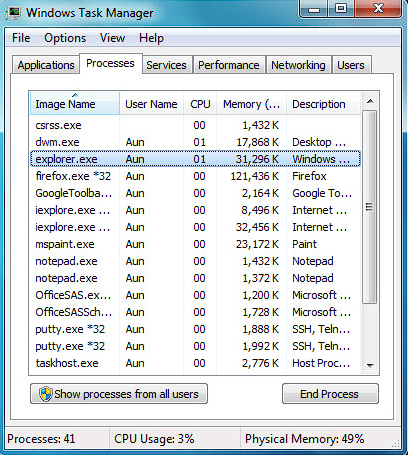
- Click on the Create Task option under the File menu.
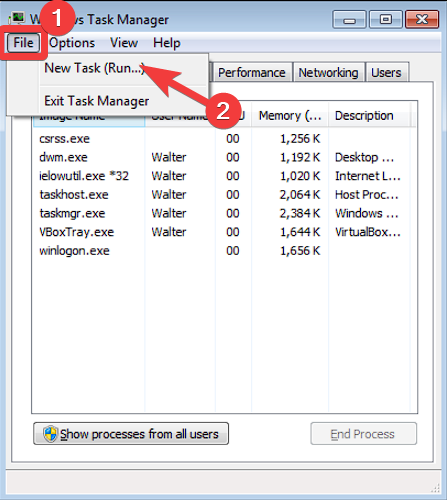
- Provide a name for the newly-created task (e.g. Automatic Shutdown).
- Click the Triggers tab and select the New button.
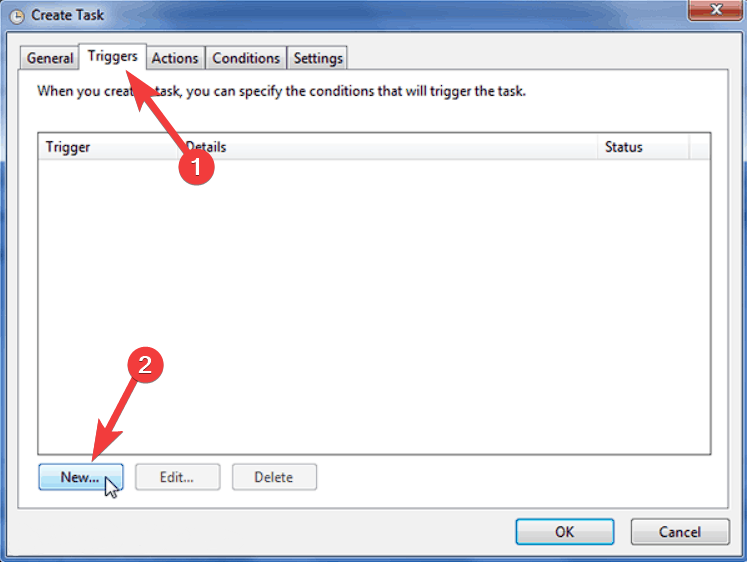
- Configure the trigger settings according to your schedule.
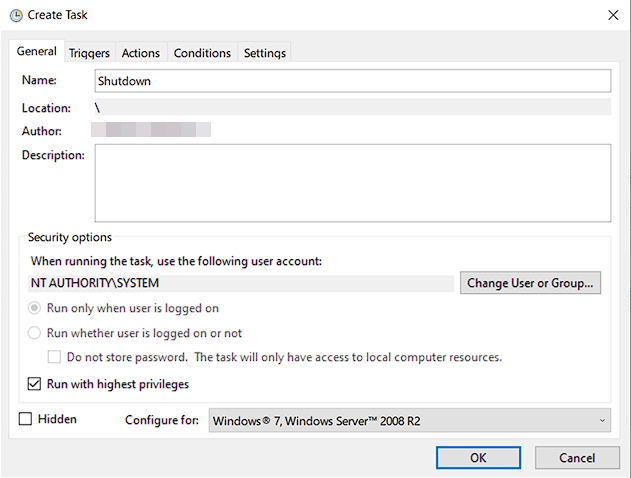
- Under the Action tab, select Start a program and choose Shutdown.
- Click OK to save the task.
Automating Defrag and Shutdown Together
You may simultaneously automate the shutdown and defragmentation procedures to speed up the optimization of your Windows Vista or 7 machines.
Combining these operations makes it possible to defragment and shut down your computer without human participation automatically.
If you want to simplify the process even more, try the following method:
- Open Notepad, and type the following code:
@echo off
start /wait %systemroot%\system32\defrag.exe C:
start %systemroot%\system32\SHUTDOWN.exe -s -f -t 30
EXIT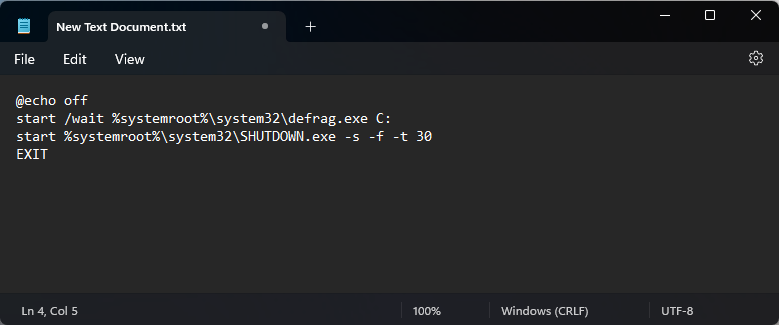
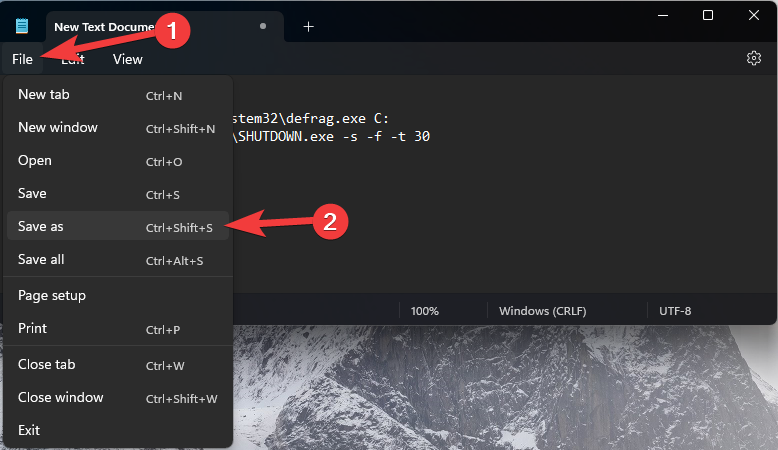
- Click File and choose Save as.
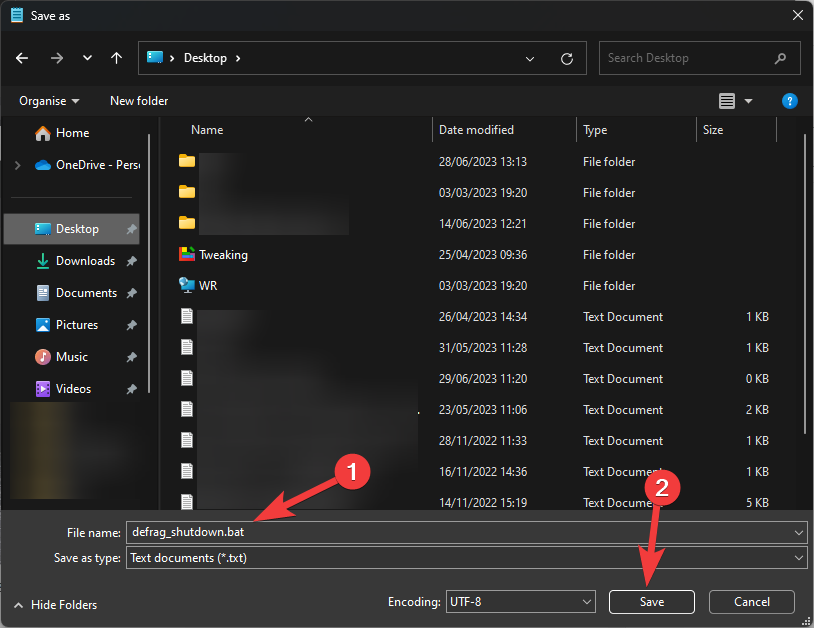
- Save the file as defrag_shutdown.bat, and choose a location for it, such as your desktop.
- To use the .bat file, double-click it from the location chosen above.
This .bat file combines the methods described above into one simple-to-use file, which can be accessed at any point with a double click.
For a seamless and practical user experience, Windows Vista or 7 performance optimization is essential. Regular system shutdowns clean temporary files and guard against problems, while auto defragmentation organizes your files and enhances system performance.
Utilizing the auto defrag and automated shutdown tools will simplify these processes and improve your computer’s overall performance.

Vladimir Popescu
Verified at:
07/03/2023 10:31
Vladimir started writing articles about Windows because he has a natural interest in this topic, and he has been an avid professional user with more than 15 years of experience. He’s also been writing for WindowsReport.com, MSPoweruser.com and present in various other online publications on matters related to Windows and Windows servers.
Vladimir enjoys practicing Crossfit and making art when he’s not creating top articles with in-depth information.
Leave a Reply